

These are apps that you will find us on.
Android Download – IPhone Download
Search your cell phones app store for
Indie Radio FM
to listen from your phone.
or Get Our App Below
Look for MyTuner below to listen from Apple Watch, Apple TV, Apple CarPlay, Android Auto and Google Home, Roku.
myTuner
With MyTuner find us on Apple Watch, Apple TV, Apple CarPlay, Android Auto and Google Home, Roku and many more.
Get the myTuner App: https://mytuner-radio.com/radio-app/
Search Indie Radio FM or Music Radio FM
Hot Hits Radio
https://mytuner-radio.com/radio/hot-hits-at-music-radio-fm-com-488109
Indie Radio
https://mytuner-radio.com/radio/indie-radio-fm-at-music-radio-fm-com-488111
Bar Radio
https://mytuner-radio.com/radio/bar-radio-music-radio-fm-com-488061
Country Radio FM
https://mytuner-radio.com/radio/indie-radio-fm-net-country-radio-fm-467441
LGBTQ Radio
https://mytuner-radio.com/radio/lgbtq-gay-radio-at-music-wired-radio-com-488110
myTuner App: https://mytuner-radio.com/radio-app/
Add us on myTuner as one of your favorite radio stations!
then you can find us on
Apple Watch, Apple TV, Apple CarPlay, Android Auto and Google Home, Roku and many more.
How to listen on myTuner:
- Use the link above to join and make a free myTuner account. Then come back to this page.
- After you have created a free account, Use the links below to find our myTuner pages.
- Go to any of our pages on myTuner that you would like to connect with.
- Click on the “Star” under the music player.
Add us on myTuner as one of your favorite radio stations! After you do this our radio stations with be listed in your myTuner favorites.
Radio.net
Search Indie Radio FM
Hot Hits Radio
Station: https://www.radio.net/s/indieradiofmhothits
App: https://www.radio.net/s/indieradiofmhothits/app
Indie Radio
Station: https://www.radio.net/s/indieradiofm
App: https://www.radio.net/s/indieradiofm/app
Bar Radio
Station: https://www.radio.net/s/indieradiofmchill
App: https://www.radio.net/s/indieradiofmchill/app
Country Radio FM
Station: https://www.radio.net/s/indieradiocountry
App: https://www.radio.net/s/indieradiocountry/app
Gay Wired Radio
Station: https://www.radio.net/s/gaywired
Our web site is cell phone ready. Just go to the browser on your phone and type IndieRadioFM.com and you will find our site.
Here are a few more ways to add us.
Android – add to home screen.
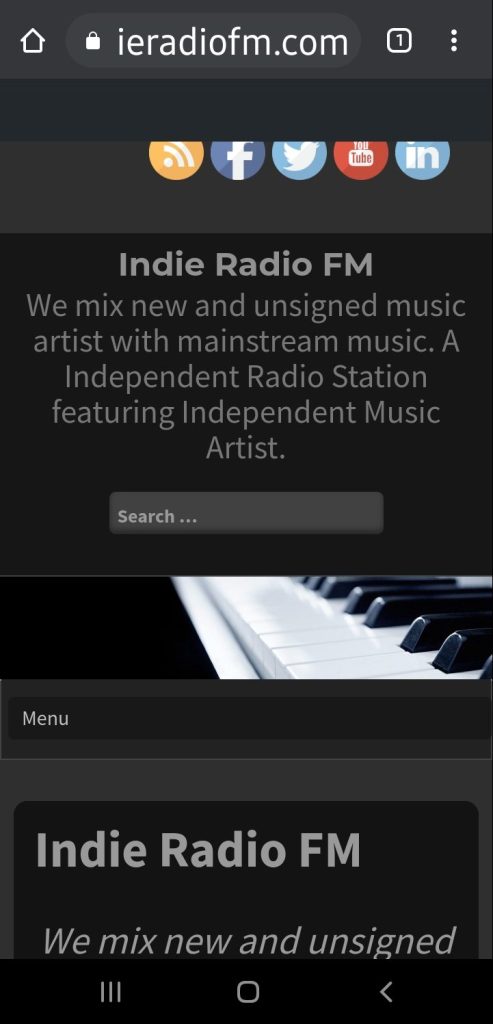
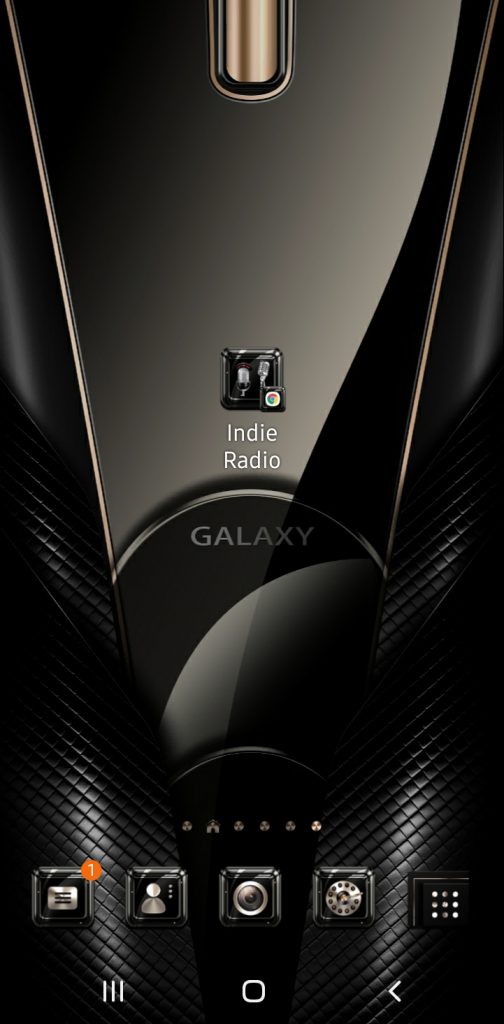
Launch Chrome for Android and open https://www.indieradiofm.com Tap the menu button and tap Add to home screen. Chrome will add us to your home screen.
The icon will appear on your home screen like any other app shortcut or widget, so you can drag it around and put it wherever you like.
Other popular Android browsers also offer this feature. For example, Firefox for Android can do this if you tap the menu button, tap the Page option, and tap Add to Home Screen.
(The 3 dots shown in this pic is the menu button)
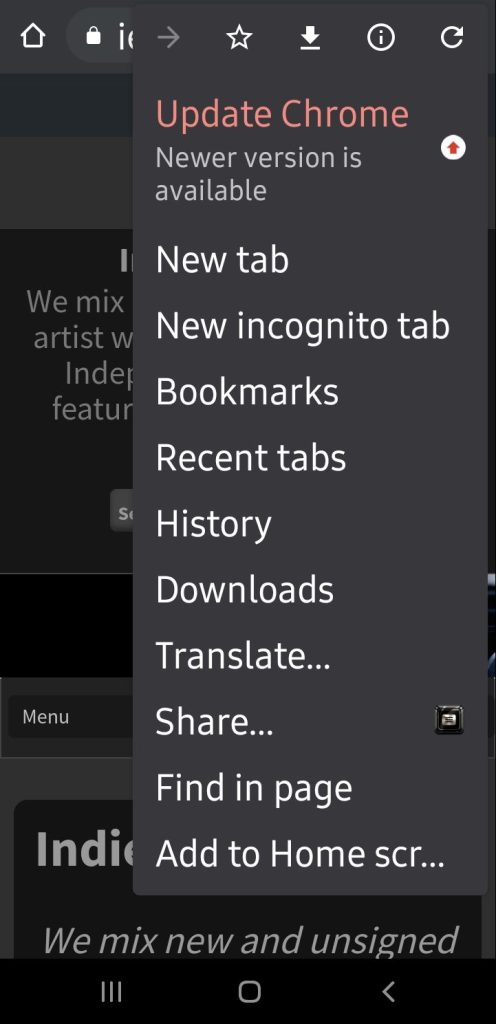
Clicking the 3 dots will open this screen. Click add to Home Screen.
iPhone, iPad, & iPod Touch – add to home screen.
Launch the Safari browser on Apple’s iOS and navigate to https://www.indieradiofm.com . Tap the Share button on the browser’s toolbar — that’s the rectangle with an arrow pointing upward. It’s on the bar at the top of the screen on an iPad, and on the bar at the bottom of the screen on an iPhone or iPod Touch. Tap the Add to Home Screen icon in the Share menu.
You’ll be prompted to name the shortcut before tapping the Add button. The shortcut can be dragged around and placed anywhere, including in app folders — just like a normal app icon. (To create app folders on iOS, touch-and-drag an app’s icon onto another app’s icon and hold it there for a moment.) When you tap the icon, it will load the website in a normal tab inside the Safari browser app.
Windows Phone
The process is similar on Windows Phone. First, open the website you want to pin in Internet Explorer. Tap the More (…) button and tap Pin to Start in the menu that appears. Windows Phone 8.1 supports live tile updates from websites that have configured the feature, just as Windows 8 does.
f you have another type of smartphone or tablet, it probably has this feature, too. Just open its browser and look in its menu for an option named something like “Add to home screen” or “Pin to home screen.”
To remove a website shortcut from your device’s home screen, just long-press the shortcut and remove it like you would any other app icon.
+++
Change your browser home page
Make us your homepage
Stay current with up-to-the-minute music the second you open your browser. Simply follow the instructions below to make us your homepage today.
Microsoft Edge Windows 10
Microsoft Edge
Here’s how to change your home page in the new Microsoft Edge :
- Open Microsoft Edge, select Settings and more > Settings .
- Select Appearance.
- Turn on Show home button.
- You can either choose New tab page or select Enter URL for a page that you want to use as your home page.
Note: This topic is for the new Microsoft Edge . Get help for the legacy version of Microsoft Edge .
Internet Explorer 11
- In the top corner of Internet Explorer, select Tools , and then select Internet options.
- On the General tab, under Home page, enter the URL of the site you want to set as a homepage. You can add more than one URL. Or, to add the site you’re currently viewing, select Use current. If you add more than one URL, put each URL on its own line. https://www.indieradiofm.com
- Select Apply, and then select OK.
Google Chrome
- Open Google Chrome, then select the three, vertical dots next to the profile icon.
- Select Settings, then under Appearance, turn the toggle for Show home button to on.
- Choose the option you’d like to use: New Tab page or Enter custom web address. https://www.indieradiofm.com
Firefox
- Open Firefox, then select the three, horizontal lines next to the profile icon.
- Select Options, then select the Home icon.
- Under New Windows and Tabs, select the dropdown next to Homepage and new windows.
- Choose the option you prefer: Firefox Home (Default), Custom URLs, or Blank Page.
Safari
- Open Safari, then choose Safari > Preferences, then select General.
- In the Homepage field, enter a wepage address. To simply use the webpage you’re currently viewing, select Set to Current Page.
- Choose when your homepage is shown.
- Open new windows with your homepage: Select the New windows open with pop-up menu, then choose Homepage.
- Open new tabs with your homepage: Select the New tabs open with pop-up menu, then choose Homepage.
Pick the app that is best for you……..